


User Authentication
Add sign-in to your app without building or hosting any of it. People sign in with their Reflex account, your app receives their identity, and you manage who is allowed in from the Auth tab.
Nothing is generated for you to maintain. Your app talks to Reflex as a standard OpenID Connect provider through the reflex-enterprise library, so there is no login form, session store, or password reset in your codebase to keep working.
Add sign-in to your app
Ask the agent:
Let people sign in to this app with their Reflex account, and show their name once they do.Or open the Auth tab and select Add sign-in to this app.
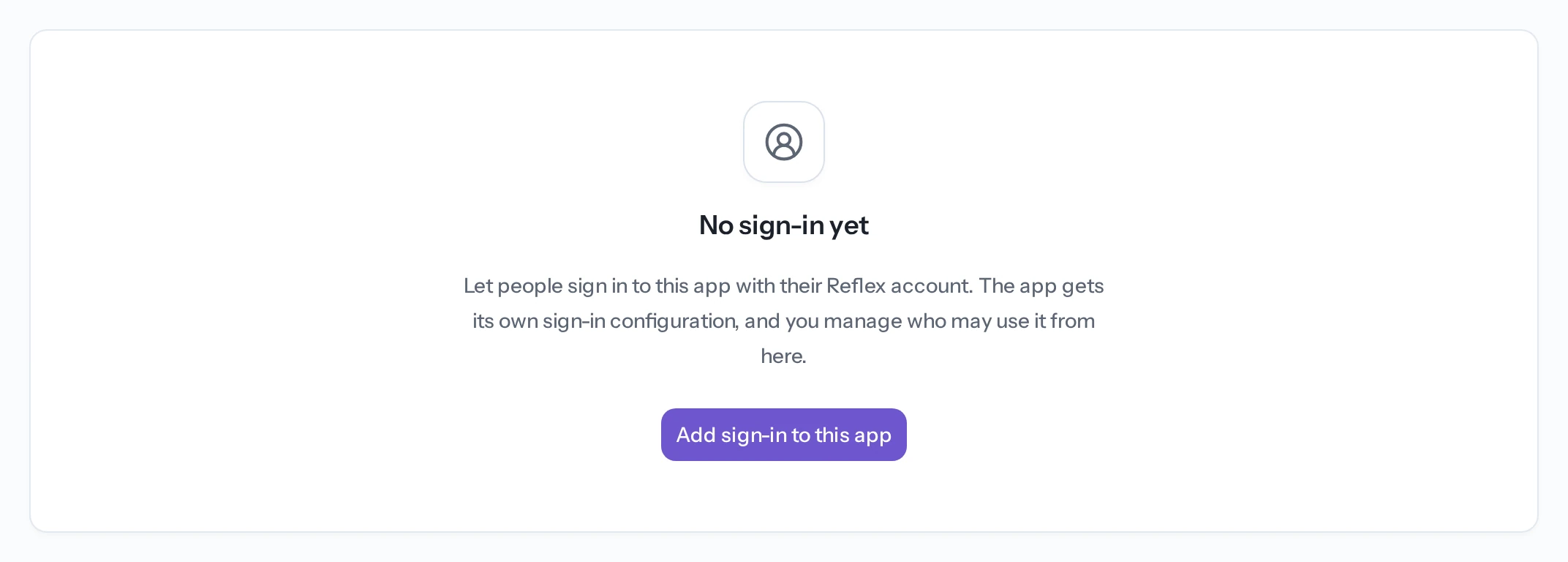
Either route sets two environment variables on the app, OIDC_ISSUER_URI and OIDC_CLIENT_ID. Neither is a secret and both reach every browser that signs in, so they need none of the handling a credential does. There is no client secret to store.
Once it is on, the tab shows the app's issuer and client id, the callback addresses the app signs in at, and the sections below.
Choose who can sign in
The Who can sign in setting decides which accounts the app will admit:
Anyone is what every app starts on. The other three require the Pro or Enterprise plan.

Project members and Just the team follow project access, so somebody removed from the project loses app access with it. Neither needs a list to maintain.
Invite specific people
Under Invite only, add an address to the list and that person can sign in the next time they try. They do not need a Reflex account first: signing in creates one, and the invite is matched on the address.
The list shows when each invite was created and whether it has been taken up. Withdrawing an invite removes it and ends whatever session it admitted.
Withdrawing an invite withdraws only the invite. Somebody who is also a project member, or who can edit the app, keeps the access those give them. Blocking is what refuses a person regardless of how they qualify.
See who has signed in
The Users section lists everyone who has signed in, with a count beside the heading:
- Person — their name and email.
- First consented — when they first approved this app.
- Last active — their most recent token activity, which is as often a silent refresh as a sign-in.
- Status — whether they are blocked.
Search by email to filter the list, and page through it when the app has more people than one page holds.
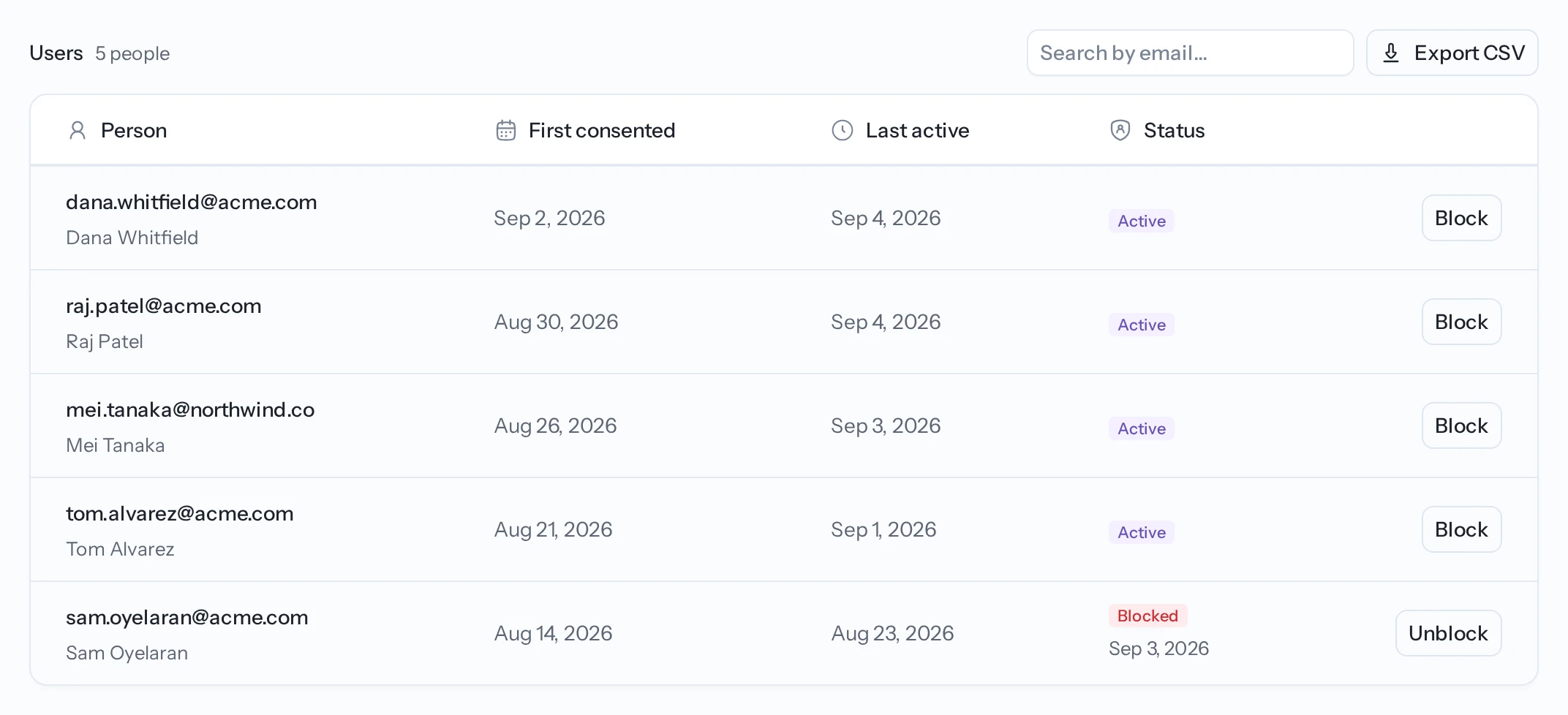
Export CSV downloads the whole list, not just the page you are looking at. The file carries each person's email, name, the two timestamps, whether they are blocked, and their Reflex user id.
Neither timestamp means "signed in". A person appears here when they approve the app, which can happen without them completing a sign-in, and Last active moves on a token refresh as well as a login.
Block someone
Blocking refuses a person whatever else would admit them, and ends the sessions they are holding. Unblocking lets them sign in again; it does not restore the old session.
Use it to remove somebody who is abusing an app. Blocking is available on every plan.
Customise the sign-in page
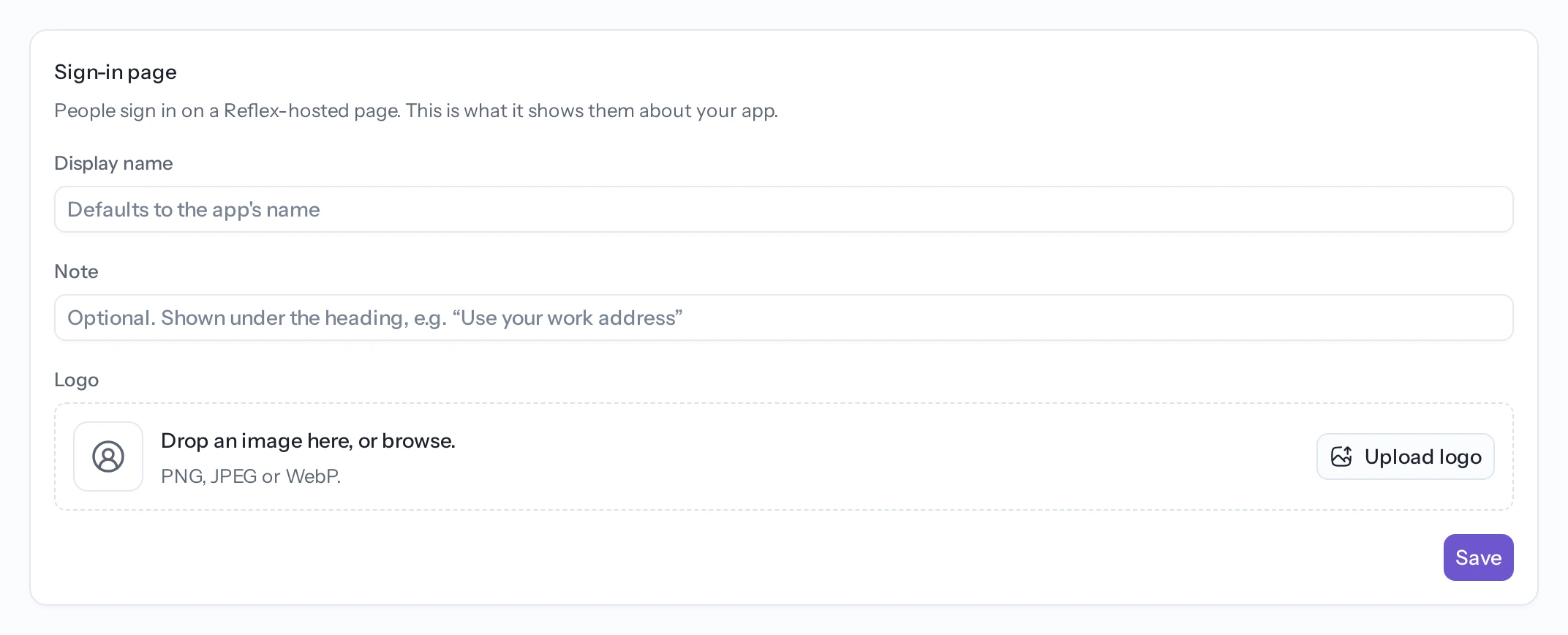
People sign in on a Reflex-hosted page. The Sign-in page section decides what that page says about your app:
- Display name — defaults to the app's name.
- Note — optional, shown under the heading. Use it for something the person needs to know before they sign in, such as which address to use.
- Logo — shown beside the name.
How long people stay signed in
Access expires after an hour and is renewed silently, so nobody is asked to sign in hourly.
Signing out of your app clears its own session only. It does not sign the person out of Reflex, or out of any other app they are using.
Read the signed-in user in your app
Ask the agent for what you want and it will wire this up. Where you read the identity depends on what you are doing with it.
To show it, the common claims are Vars on User, usable anywhere in a component:
import reflex as rx
from reflex_enterprise.auth import User

rx.hstack(rx.avatar(src=User.picture), rx.text(User.name))User.name, User.email, User.sub and User.picture are all available.
To act on it, await User.current() returns the claims as a dictionary inside an event handler, or None when nobody is signed in:
import reflex_enterprise as rxe
from reflex_enterprise.auth import User


@rxe.event
async def add_note(self, form_data: dict):
    user = await User.current() or {}
    owner = user.get("sub")
Key your data on sub rather than on the email address, so a person who changes their address keeps their data.
Any other claim you want to render needs a computed var on an AuthUserState subclass. See Authentication for that and for authorizing handlers.
Remove sign-in
Remove sign-in in the Auth tab stops the app signing anyone in and signs out everyone who is. The user list is kept, so adding it again finds the same people rather than an empty list.
If your app has its own identity provider configured through an integration, the Auth tab says so and does not offer Reflex-account sign-in. An app has one sign-in, not two. Disconnect the provider from the Integrations tab if you would rather use Reflex accounts.
Troubleshooting
Somebody cannot sign in. Check Who can sign in first. Under Invite only, their address has to be on the list, and the match is on the address they sign in with rather than one they forward from. Under Project members or Just the team, they need project access. Then check the Users section in case they are blocked.
Somebody you blocked is still using the app. Expected for up to 30 minutes, for the reason above. Their next token refresh is refused.
Sign-in works in the builder preview but not on the deployed app, or the reverse. There is nothing to configure for either: the addresses an app may return to are read from its live serving addresses each time somebody signs in, and the preview and the deployment are both on that list. What does change them is renaming the app or attaching a custom domain, which is why a link somebody bookmarked at an old address stops working.
The tab says sign-in is configured but withdrawn. The app holds the settings while the broker will not complete a login for it, which is what a half-finished removal leaves. Select Repair. Nothing is lost and the user list is untouched.
The Auth tab offers nothing and says the app uses its own sign-in. An identity provider is connected through an integration, and an app has one sign-in rather than two. Disconnect it from the Integrations tab if you would rather use Reflex accounts.
Related
- Secrets — store credentials your app needs at runtime.
- Managing project access — decide who counts as a project member.
- Deploy your app — sign-in works on the deployed app and in the builder preview.